

OpenAI Dots Launch: AI Agents That Work Across Apps

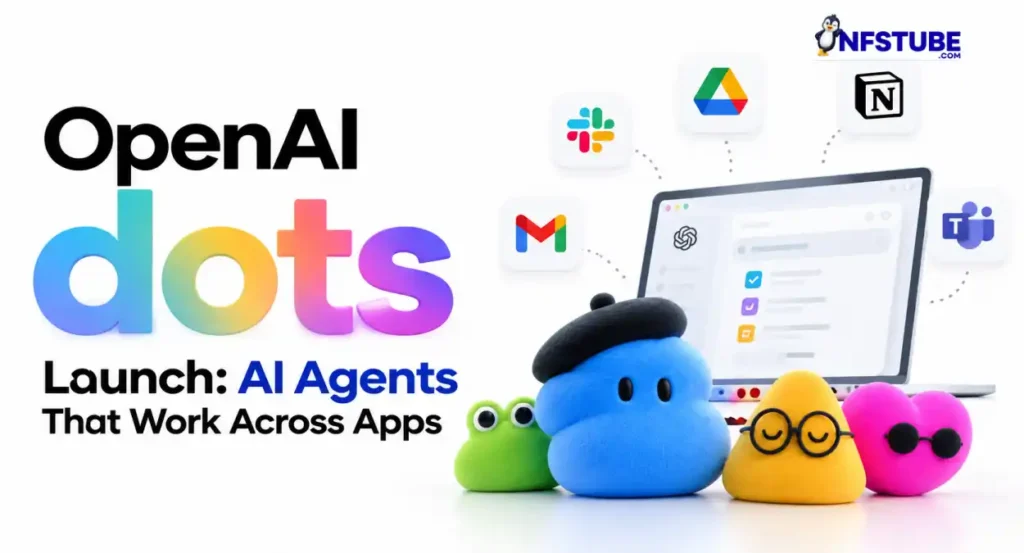


OpenAI Dots introduced , a new class of always-on AI agents designed to work towards user-defined goals with less step-by-step direction. Powered by GPT-6 Astra, each Dot gets its own cloud computer and browser, allowing it to continue working even when the user is not actively interacting with it.
Dots can connect to more than 4,000 apps through OpenAI’s plugin ecosystem and can be reached through ChatGPT, Slack and Microsoft Teams. OpenAI says the agents can learn from feedback over time, allowing them to adapt to a user’s preferences, working style and expectations.
Quick Highlights- OpenAI Dots Launch
- What are Dots: Always-on AI agents for ongoing tasks
- Powered by: GPT-6 Astra
- Cloud computer: Each Dot gets its own cloud computer and browser
- App access: More than 4,000 apps through connected plugins
- Platforms: ChatGPT, Slack and Microsoft Teams
- Background work: Can continue working towards goals between conversations
- Controls: Custom Rules, permissions and automatic action reviews
- Availability: Pro and Business Premium, with Enterprise beta access
- Setup: Create a Dot from ChatGPT desktop app or desktop web
What Are OpenAI Dots?
Unlike a conventional chatbot that generally waits for a new prompt, Dots are designed to take responsibility for ongoing work. A user can give a Dot a goal, connect the apps it needs and define which actions it can take independently.
The Dot can then continue working in the background, return with updates, ask for decisions when needed and bring completed work back for review. Users can also inspect the Dot’s activity and redirect its work while a task is in progress.
Also Read: JioBharat 4G Phone at Rs 1,499 With 6 Months Free Recharge
Dots Can Work Across Apps
OpenAI says Dots can connect with more than 4,000 apps, giving them access to the tools and information required for different workflows. Existing app permissions continue to determine what a Dot can access and what actions it can perform.
The same Dot can also be reached through different communication channels. Users can interact with it in ChatGPT and connect it with supported Slack and Microsoft Teams environments, allowing work and context to continue across those channels.
What Can Dots Do?
OpenAI has highlighted several practical use cases for Dots. A developer could use one to monitor customer feedback, identify recurring problems, work on smaller fixes, test changes and prepare pull requests for human review.
Product teams could use Dots to update launch materials when product requirements change, while research teams could have them revisit analysis when new information becomes available. They can also assist with enterprise proposals and parts of content-production workflows.
For content teams, this could include identifying useful moments from longer recordings, preparing show notes and creating draft social posts. The key difference is that the Dot can continue working through these steps instead of requiring a separate prompt for every stage.
Also Read: Apple Pay Launches in India: How to Set Up, Cards and Where to Use
Dots Can Learn From Feedback
OpenAI says Dots become more useful over time by learning from user feedback and understanding individual preferences. Users can explain what they want, review the work and provide corrections that help guide subsequent tasks.
This makes Dots more suitable for recurring workflows than a one-off question-and-answer interaction. A user can establish an ongoing objective and allow the agent to keep making progress while remaining available for decisions or corrections.
Cloud Computer Keeps Work Separate
Each Dot operates on its own cloud computer and browser rather than automatically using the user’s personal computer. Local computer access is optional and starts turned off, with the user required to explicitly connect their computer if they want a Dot to access local files or run commands there.
This separation is important because connecting an app or service does not automatically give a Dot unrestricted access to everything associated with that service. Existing app permissions and additional Dot controls determine what information and actions are available.
Also Read: Samsung One UI 9 Update: Galaxy S25 FE, S25 Edge Status and New Features
Privacy, Permissions and Custom Rules
OpenAI has built several controls around Dots because they can take actions rather than simply generate answers. Users can create Custom Rules that determine which actions a Dot can perform independently, which require approval and which should be handed back to the user.
An automatic review system can also check planned actions against the user’s instructions, permissions and safety requirements before certain consequential actions take place. Core safeguards cannot be disabled through Custom Rules.
Dots can also perform proactive research using read-only tools. These research tools cannot independently send messages, modify connected app content or control the user’s browser or computer. Actions that require stronger permissions remain subject to additional checks or user involvement.
OpenAI Dots Availability
Dots are rolling out gradually to ChatGPT Pro and Business Premium users aged 18 and above in supported markets. Enterprise access is available as a beta and is switched off by default, meaning an administrator needs to enable it for the workspace.
The first Dot is included with eligible Pro and Business Premium plans at no additional cost. OpenAI says users can create their Dot through the ChatGPT desktop app or desktop web, after which it can also be accessed through supported mobile and workplace channels.
Also Read: Tata Aeris Launched at Rs 5.29 Lakh: Price, Features and Specs
How To Create Your First Dot
Users need to start the setup process from the ChatGPT desktop app or desktop web. After creating a Dot, they can connect the apps it needs, review its permissions and establish Custom Rules for actions that should require approval.
Once configured, the Dot can be reached through supported ChatGPT interfaces and connected workplace channels. Users can review its activity, respond when it needs a decision and change its instructions as the work progresses.
What Dots Mean for Everyday AI Use
Dots move ChatGPT further from a tool that simply responds to prompts towards an agent that can manage an ongoing piece of work. The practical difference is not just that the AI can perform more steps, but that it can continue working between conversations while using connected apps and a dedicated cloud environment.
For users, the important consideration will be deciding how much independence to give the agent. OpenAI’s permission controls and approval system are designed around that distinction, allowing routine actions to be automated while keeping more consequential decisions under human control.
Also Read: Mahindra Thar OG Launched at Rs 10.32 Lakh: Price, Specs and Features
YouTube Video Suggestion- OpenAI Dots Launch
Disclaimer: This article is intended for informational purposes only. For queries or corrections, please reach out via our Contact Form. Also refer to our Disclaimers & Transparency.
For the latest Tech, Entertainment, Fitness, and Lifestyle updates, follow NFSTUBE on Instagram, Facebook, YouTube & X(twitter) for daily updates.