

Apple Pay Launches in India: How to Set Up, Cards and Where to Use

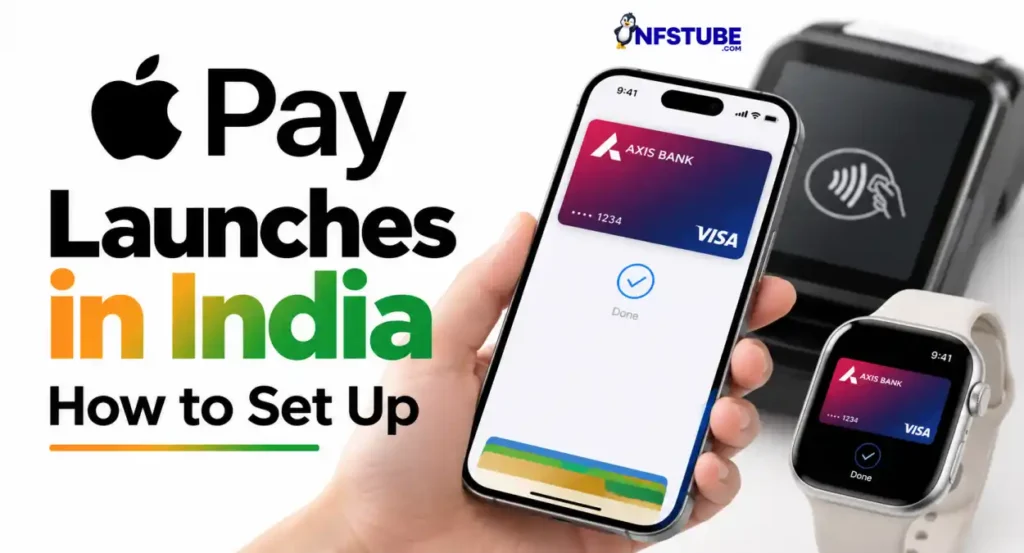


Apple has officially launched Apple Pay in India, bringing its contactless payment service to iPhone, iPad and Apple Watch users. Mac support is coming soon. At launch, Apple Pay supports Axis Bank-issued Visa and Mastercard credit cards, which can be used at participating merchants across India and wherever contactless NFC payments are accepted.
The India launch covers payments in stores, apps and on the web, allowing eligible cardholders to authenticate payments using Face ID, Touch ID or their device passcode instead of repeatedly entering card details, PINs or OTPs at checkout.
Quick Highlights -Apple Pay Launches in India
- Launched in India: September 30, 2026
- Supported devices: iPhone, iPad and Apple Watch
- Mac: Support coming soon
- Cards at launch: Axis Bank Visa and Mastercard credit cards
- In-store payments: Contactless NFC terminals
- Online/app payments: Participating merchants supporting Apple Pay
- Setup: Apple Wallet or the latest Axis Bank app
- Security: Device Account Number stored in the Secure Element
- PIN/OTP: Not required at Apple Pay checkout where supported
- Major merchants: Apple Store, Blinkit, Croma, Ixigo, Zomato, Tata 1mg and others
Also Read: FASTag OneTag Portability: Change Your Bank Without Getting a New Tag
Apple Pay in India: Who Can Use It?
At launch, Apple Pay is available to customers with eligible Axis Bank-issued Visa and Mastercard credit cards. These cards can be added to Apple Wallet and used at participating stores and online merchants across India. Apple also says Apple Pay can be used internationally wherever compatible NFC contactless payments are accepted.
The launch is currently focused on credit cards, so users should not assume that every Axis Bank card or other bank’s card can be added. Apple says participating banks and card issuers determine which cards are supported.
Also Read: Meta One Subscription Launched in India: Price and Features
How to Set Up
There are two ways to add an eligible Axis Bank card. Users can add the card through the latest Axis Bank app, or open the Wallet app on iPhone, tap the + button and follow the instructions to add the card. Once the card is successfully verified, it can be used with Apple Pay.
For an in-store payment, double-click the iPhone’s side button or Home button where applicable, authenticate with Face ID, Touch ID or the device passcode, and hold the top of the iPhone near the contactless payment terminal. Apple Watch users can authenticate and hold the watch display near the reader.
Where Can You Use Apple Pay in India?
Apple says Apple Pay will be accepted across millions of merchant locations in India. Its launch list includes Apple Store locations, Blinkit, Chaayos, Comet, Croma, Interflora, Ixigo, Le15 Patisserie, Reliance brands, Tata 1mg and Zomato, with more merchants and apps expected to join.
Apple has also worked with payment service providers including Cashfree, JusPay, Mswipe, Paytm, PayU, Pine Labs, Razorpay and Worldline to extend Apple Pay across their merchant networks. This means availability can expand beyond the merchants specifically named by Apple as the rollout develops.
Also Read: Mahindra Thar OG Launched at Rs 10.32 Lakh: Price, Specs and Features
Security and Privacy Explained
Apple Pay does not send the user’s actual card number to the merchant. Instead, Apple assigns a unique Device Account Number, which is encrypted and stored in the device’s Secure Element. Apple says the actual card number is not stored on Apple servers or shared with merchants.
Apple also says it does not retain transaction information that can be tied back to the user. If an iPhone is lost or stolen, payments associated with that device can be located, locked or suspended through Find My.
Does Apple Pay Need Internet?
For in-store payments, Apple says an active Wi-Fi or cellular connection is not required. Apple Pay uses the device’s NFC hardware to communicate with the contactless payment terminal. Transaction details may appear in the device’s history after connectivity is restored.
This is particularly useful for everyday tap-to-pay transactions because the payment itself does not depend on having mobile data at the checkout.
Also Read: Tata Aeris Launched at Rs 5.29 Lakh: Price, Features and Specs
What About UPI?
The India launch announced by Apple is centred on eligible credit cards and NFC payments. Apple has not announced Apple Pay as a replacement for India’s UPI ecosystem in its launch communication.
That distinction matters because Apple Pay in India currently works as a card-based contactless payment service, rather than as another UPI app. Users therefore need an eligible supported card to use the service.
Apple Pay India: Device Requirements
Apple says the India service requires iPhone XR or later running iOS 18 or later. Apple Watch support starts with Apple Watch Series 6 or later running watchOS 11 or later, with the watch paired to a compatible iPhone.
Apple Pay is also available on supported iPads for online and in-app purchases, while Mac support is coming soon in India.
YouTube Video Suggestion- Apple Pay Launches in India
Also Read: Samsung One UI 9 Update: Galaxy S25 FE, S25 Edge Status and New Features
Disclaimer: This article is intended for informational purposes only. For queries or corrections, please reach out via our Contact Form. Also refer to our Disclaimers & Transparency.
For the latest Tech, Entertainment, Fitness, and Lifestyle updates, follow NFSTUBE on Instagram, Facebook, YouTube & X(twitter) for daily updates.