

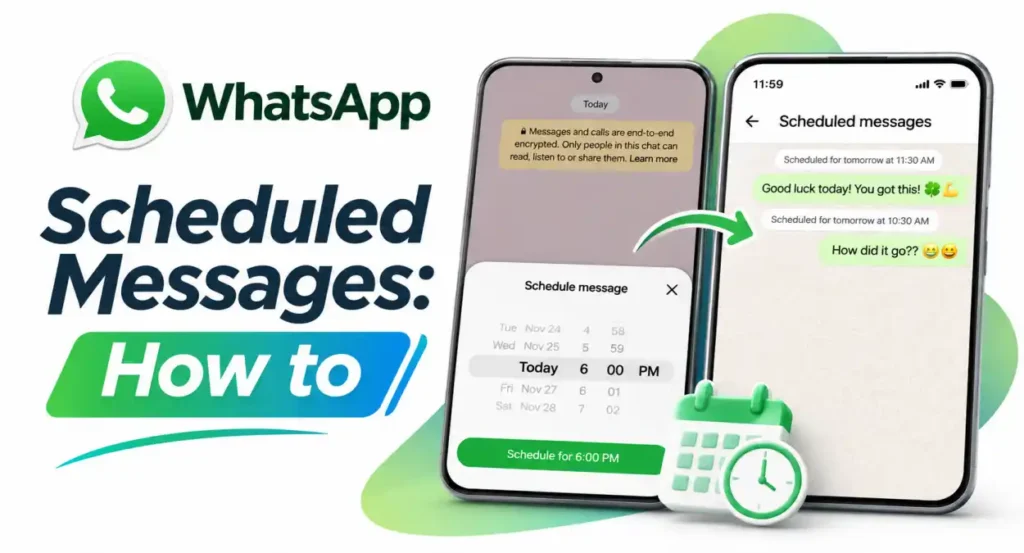


WhatsApp is finally introducing a long-requested feature that lets users schedule messages for later delivery. You can now write a message in advance and choose exactly when it should reach an individual or group chat, without having to remember to send it manually.
The feature supports text, photos and videos, with scheduling options ranging from 10 minutes to 14 days ahead. WhatsApp is rolling it out globally in phases over the coming weeks, so it may not appear on every account immediately.
WhatsApp Scheduled Messages: Quick Highlights
- Schedule messages between 10 minutes and 14 days ahead.
- Works in individual and group chats.
- Supports text messages, photos and videos.
- Schedule by pressing and holding the send button.
- View upcoming messages and delete them before delivery.
- Messages are delivered even if your phone is switched off.
- Scheduled messages remain end-to-end encrypted.
- Recipients see them like regular WhatsApp messages.
Also Read: Suzuki Access 125 New Colours, Prices and Variants
How to Schedule a Message on WhatsApp
The process is straightforward and does not require a separate scheduling app. Open the individual or group conversation where you want to send the message and compose it as usual.
Follow these steps:
- Open the WhatsApp chat.
- Type your message or select a photo or video.
- Press and hold the Send button.
- Choose the date and time for delivery.
- Confirm the schedule.
WhatsApp will queue the message and send it at the selected time. The recipient receives it like a normal message, without a label indicating that it was scheduled.
Can You Schedule Photos and Videos Too?
Yes. WhatsApp’s scheduling feature is not limited to text. Users can also schedule photos and videos for delivery in individual and group conversations.
This makes the feature useful for sending birthday greetings, event reminders, photographs or work updates at a particular time. The scheduling window starts at 10 minutes and extends up to 14 days.
Also Read: Dell XPS 16 Creator Edition Price in India, Specs
What Happens If Your Phone Is Switched Off?
One of the most useful aspects is that scheduled messages do not depend on your phone being switched on at the delivery time. WhatsApp says the message will still be sent even if your device is switched off or its battery has run out.
Scheduled messages also remain end-to-end encrypted, just like regular WhatsApp conversations. According to the company, nobody outside the conversation, including WhatsApp itself, can read their contents.
How to View or Delete Scheduled WhatsApp Messages
You can review messages waiting for delivery and remove them if your plans change. WhatsApp provides a way to see your upcoming scheduled messages before they are sent.
If you no longer want a message delivered, delete it from the scheduled messages list before its delivery time. The recipient will not receive that message.
This is particularly useful when plans change or a reminder is no longer relevant.
Also Read: Friday OTT Releases: 11 New Movies and Shows
When Will WhatsApp Scheduled Messages Reach Everyone?
WhatsApp began testing message scheduling with selected Android beta testers in October 2026, including users on version 2.26.40.7. The feature has now moved beyond limited testing, with WhatsApp announcing a global rollout on November 25.
The company says availability will expand over the coming weeks. If the scheduling option does not appear when you press and hold the Send button, it may not have reached your account yet. Keep WhatsApp updated and check again later.
What Other WhatsApp Features Are Changing?
Message scheduling joins a series of updates aimed at improving group conversations and account security. WhatsApp has also been working on features such as @all group mentions and smarter polls.
The company is separately exploring other changes, including disappearing-media features and chat previews. These remain distinct developments and should not be confused with the scheduled messaging rollout.
Also Read: GTA 6 on Blinkit: 11 Cities, Price and Delivery Details
YouTube Video Suggestion- New WhatsApp Scheduled Messages: How to Schedule Texts
Disclaimer: This article is intended for informational purposes only. For queries or corrections, please reach out via our Contact Form. Also refer to our Disclaimers & Transparency.
For the latest Tech, Entertainment, Fitness, and Lifestyle updates, follow NFSTUBE on Instagram, Facebook, YouTube & X(twitter) for daily updates.