

Comet Browser by Perplexity: Features, Availability & Why It Could Change Browsing



Synopsis:
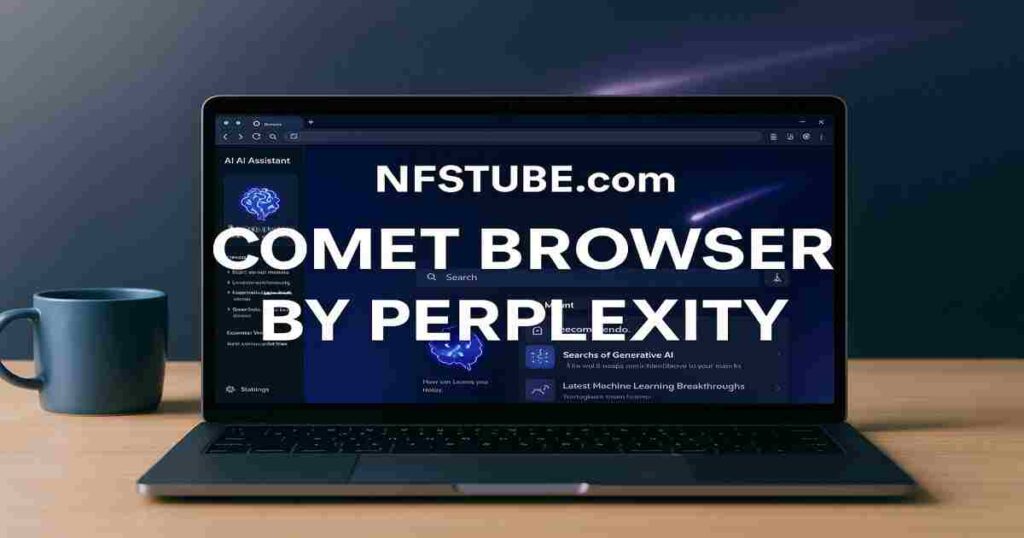
Perplexity has introduced Comet, an AI-native browser built on Chromium. With summarization, automation, contextual memory, and sidebar AI, Comet aims to rival Chrome and Google search. Available now for select Pro users, Comet promises smarter workflows — but comes with security and access caveats.
Why Comet Browser Matters: Browsing With Built-In Intelligence
For decades, browsers like Chrome, Firefox, and Safari have been gateways to the web — but they mostly show you pages. In 2025, Perplexity’s Comet browser tries to reinvent that role: instead of just displaying results, it helps you interpret, summarise, and act on information.
Imagine a browser that remembers your research threads, compares prices across sites on request, or summarises a 20-page PDF into three bullet points in your sidebar. That’s the vision Comet is pitching.
💡 Also Read: Meta Ray-Ban Smart Glasses- AI Display, Finger Controls, Price & Features
What Makes Comet Browser Different
Here’s a breakdown of Comet’s standout features:
| Feature | What It Does | Why It Matters |
| AI Sidebar Assistant | Always-on assistant that summarises any page and answers follow-ups. | Cuts down tab-hopping, saves time. |
| Agentic Workflows | Automates multi-step tasks like comparing flights or gathering reports. | Moves from “searching” to “doing.” |
| Contextual Memory | Remembers your past queries, pages, and goals. | Lets you ask natural follow-ups without restarting. |
| Chromium Base | Compatible with Chrome extensions and bookmarks. | Makes migration seamless for Chrome users. |
| Privacy Controls | Some processes run locally, with user-level data settings. | Attempts to balance AI power with privacy. |
In short: Comet doesn’t want to just be a browser — it wants to be your research partner.
Availability: Who Can Use Comet Browser Right Now?
- India Launch: As of September 2025, Pro subscribers in India can access Comet on desktop.
- Global Rollout: First unveiled in July 2025 in select markets, expanding gradually.
- Platforms: Windows and macOS versions are live; Android pre-orders open; iOS expected next.
- Pricing: Currently tied to Perplexity’s Pro / Max subscription plans, not free for general users.
This restricted rollout has sparked both hype and frustration — it’s clear Perplexity is testing Comet with a limited audience before wider release.
💡 Also Read: Top Gemini Nano Banana Prompts: How to Turn Photos into 3D Figurines with Google AI
Claiming Perplexity Pro via Airtel (Free 12 Months)
Airtel users in India get an exclusive offer: 12 months of Perplexity Pro free (worth ≈ ₹17,000) via the Airtel Thanks app.
Steps:
- Open Airtel Thanks app → go to “Rewards & OTTs” → find Perplexity Pro.
- Select “Claim / Redeem” → link or recover your Perplexity account.
- For existing Pro users: the 12 months free begins after your current paid period ends. Important: this offer is for Pro tier, not Max or enterprise plans.With this, you unlock Comet access (if your Pro plan is eligible) without paying extra.
Comet Browser by Perplexity- Benefits & Risks: A Balanced Look
Strengths
- Integrated AI saves time.
- Seamless migration thanks to Chromium support.
- Context memory boosts research efficiency.
- Good fit for students, researchers, and professionals juggling multiple projects.
Weaknesses / Concerns
- Access limited to paying subscribers.
- Security audits (by Brave, Guardio) flagged risks of malicious code injection and phishing through AI-driven commands.
- Over-reliance on AI means risk of misinterpretation.
- AI accuracy still varies — errors can creep into summaries or comparisons.
💡 Also Read: Jio PC Launch: India’s Personal Computing Revolution—Plans, Price, Setup
Tips to Get the Most From Comet Browser
- Start Simple: Use summarization and sidebar Q&A before relying on automation.
- Double-Check AI Actions: Don’t allow Comet to autofill forms or make bookings without oversight.
- Clear Sessions: Reset memory for unrelated tasks to avoid context leaks.
- Pair With Research: Great for academic or professional projects where multiple sources need stitching.
- Stay Security-Conscious: Keep antivirus active and cross-verify AI-generated links.
💡 Also Read: CBSE Date Sheet 2026: Full Schedule, Big Changes & Smart Prep Guide
Final Word: Early Days, Big Promise
Comet is ambitious — part browser, part assistant, part workflow manager. It points toward a future where browsing is less about “clicking links” and more about “getting tasks done.”
But like any first-gen product, it faces hurdles: limited access, privacy concerns, and reliance on AI accuracy. Whether it becomes a true rival to Chrome depends on trust, speed, and scale.
For now, if you can access Comet, treat it as an experiment: a preview of what your future browser might look like.
Comet Browser by Perplexity FAQs
Q. What is Comet Browser by Perplexity?
A. An AI-native browser that integrates summarization, automation, and contextual memory into a Chromium-based platform.
Q. Is Comet Browser free?
A. No – it’s currently available only through paid Pro / Max subscriptions or invites.
Q. Which platforms support Comet Browser?
A. Windows and macOS now; Android beta pre-orders are open; iOS coming later.
Q. Is Comet Browser secure?
A. Audits suggest vulnerabilities exist; users should exercise caution with AI-powered actions.
Q. How is Comet different from Chrome?
A. While Chrome is fast and extension-rich, Comet adds a built-in AI assistant, automation, and memory — features Chrome doesn’t natively offer.
💡 Also Read: Zoho — Not Microsoft, Not Google, But the Platform Everyone’s Talking About
Disclaimer: This article is intended for informational purposes only. For queries or corrections, please reach out via our Contact Form. Also refer to our Disclaimers & Transparency.
Join NFSTUBE @ Instagram, FaceBook, Youtube & X.com for daily updates.
WhatsApp Channel– SMART & QUICK UPDATES Daily – JOIN WhatsApp Channel Now!!